

CIDB Contractor Search
CIDB Contractor Search
CIDB Contractor Search online for companies wishing to verify their CIDB Contractor License status using the CIMS online portal is as follows.
How to Search CIDB Contractors Online?
For anyone who wishes to perform a CIDB Contractor Search online, here are 5 easy steps you can follow.
Step 1: Visit the CIDB Website
The first step is to visit the CIDB website, which provides various information about the construction industry and services offered by CIDB.
Step 2: Scroll Down and Click on "Contractor Search"
On that page, scroll down and find the link labelled "Contractor Search". Click on this link to be taken to the search page for contractors registered under CIDB Malaysia.
Step 3: Check Contractor Information

On this contractor search page, you can search based on several criteria such as:
- Contractor Name
- CIDB Registration No.
- Grade
- State
- District
- Type
- Category
- Specialization
- Validity ( All / Valid / Expired )
Step 4: Click "Search" to Check Contractor
After filling in the relevant contractor information, click the "Search" button to begin the search. The system will process your information and display the registered CIDB contractor details.
Step 5: Check Registered CIDB Contractor Status
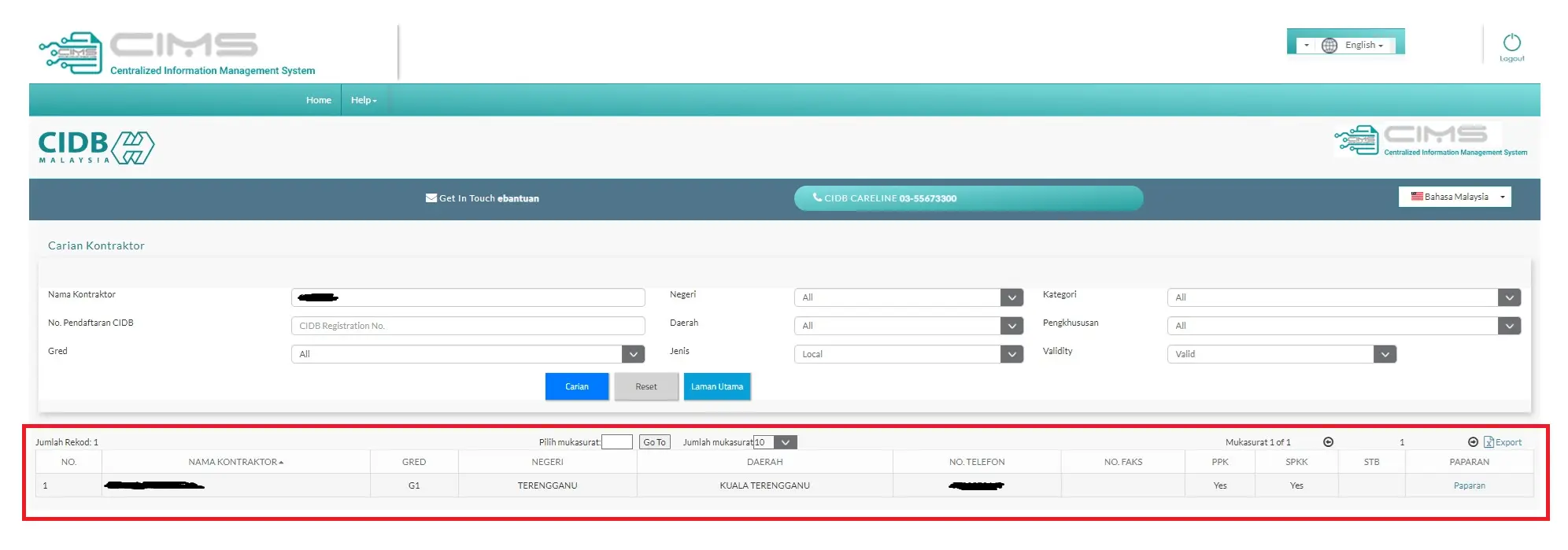
After the search process is complete, the system will display contractor information according to the following categories:
- Contractor Name
- Grade
- State
- District
- Phone No.
- Fax No.
- PPK
- SPKK
- STB
- View
To obtain more detailed CIDB Contractor Search data, you can click on the "View" link provided through the search results. This view will provide more detailed information about the contractor.
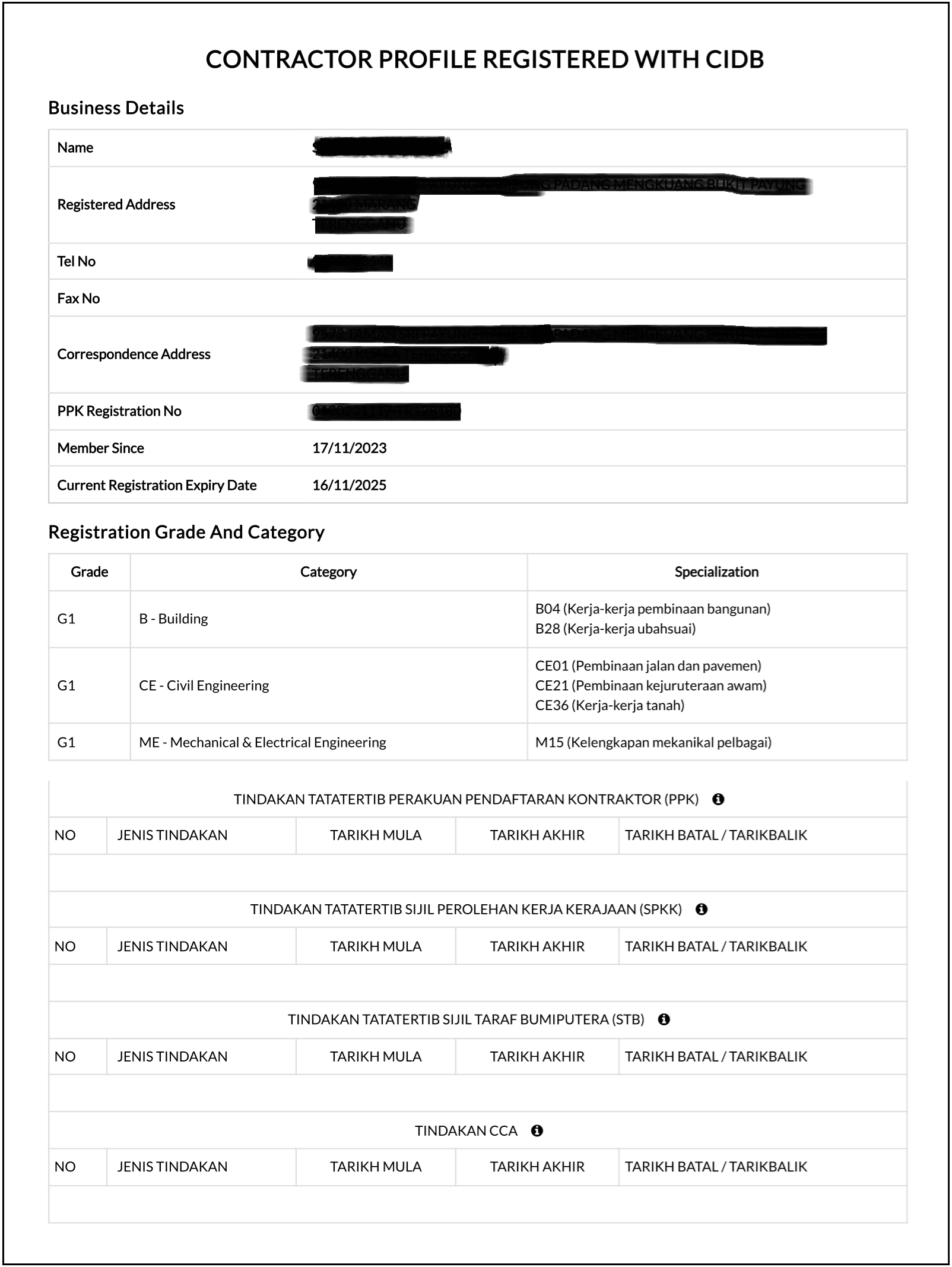
- Company / Contractor Name
- Contractor Registered Address
- Contractor Phone No.
- Contractor Fax No.
- Contractor Mailing Address
- PPK Registration No.
- CIDB Member Registration Date
- CIDB Member Expiry Date
- Registration Grade
- Applied Work Category
- Work Scope by Category
- Disciplinary Action Status (PPK)
- Disciplinary Action Status (SPKK)
- Disciplinary Action Status (STB)

CIDB Contractor Search online allows users to easily and efficiently verify the current status of registered contractors. This ensures that they comply with industry requirements and have the necessary qualifications to carry out construction work.
Need help? Contact us
Call us now: +60 11-1218 6031